S02
B2B portal development for distributors and wholesalers: customer types, wholesale pricing and orders that flow into your ERP Let resellers order without calling you
A B2B ordering portal lets your professional customers find products, see the conditions that apply to them and order online, at any hour. ANTASY IT (a.it) built one for the Damak tyre group in Sfax: a single platform for the public and for trade customers, with the ERP behind it.
- For
- Distributors, wholesalers, importers, groups
- Account types
- Company · reseller · partner · investor (Damak group)
- Stack
- Next.js · Strapi · PostgreSQL
- Linked to
- ERP: orders, deliveries, invoices, payments
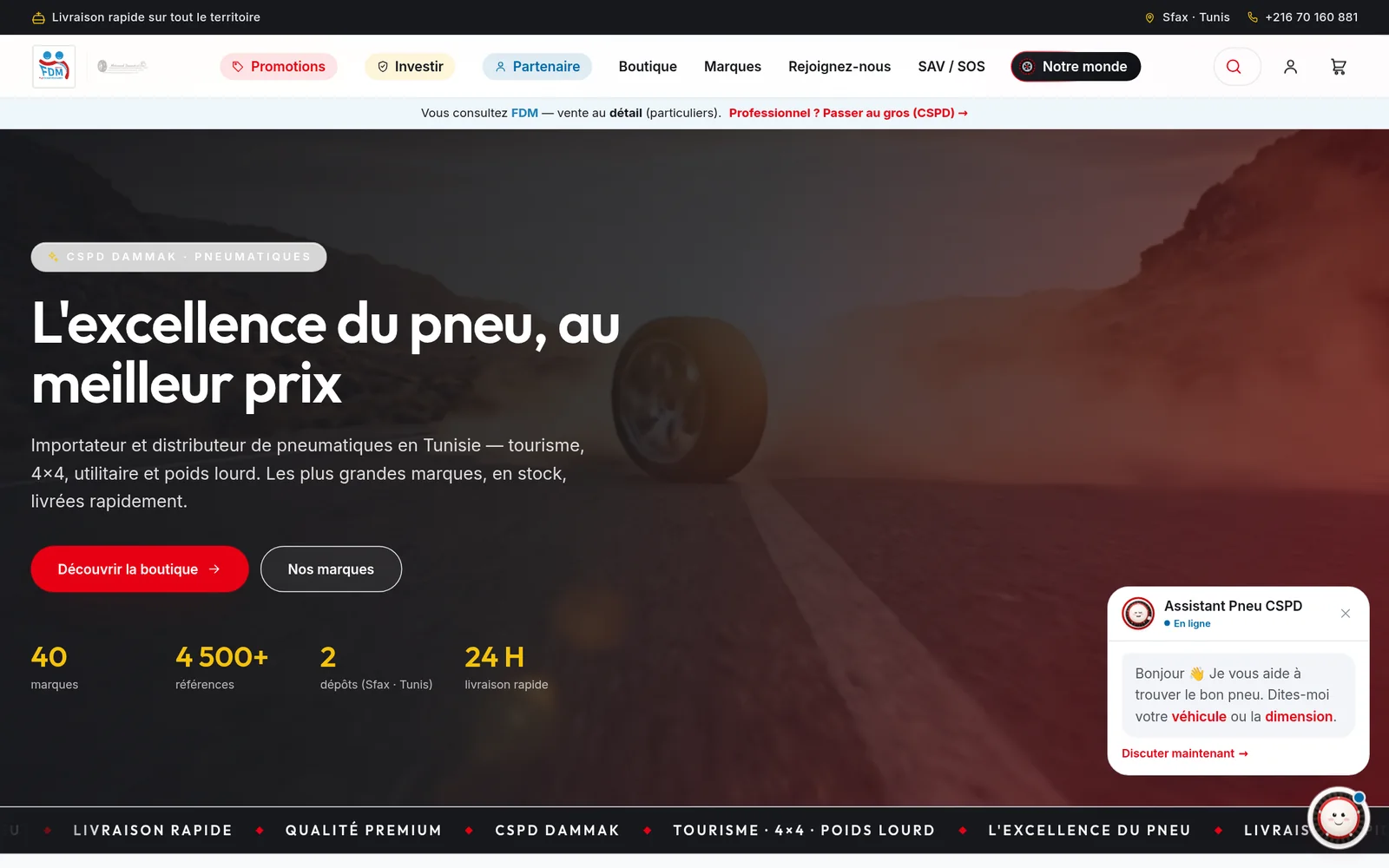
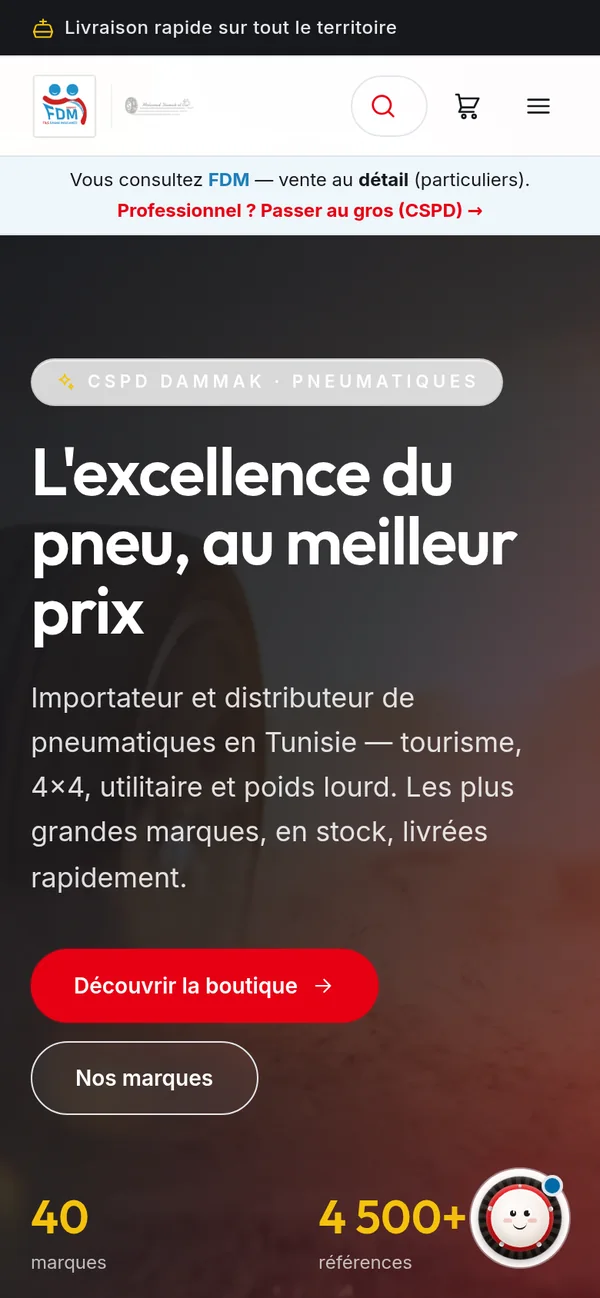
The Damak group platform, in a real screenshot.

Overview
What is a B2B ordering portal?
A B2B ordering portal is a private ordering site for professional customers such as resellers, garages, pharmacies or companies. Each signed-in account sees the catalogue with its own conditions and orders without a phone call or a quote by e-mail. ANTASY IT builds portals that send those orders straight to the ERP that delivers and invoices them.
Distributors often run two businesses on one stock: retail sales to the public and trade sales to resellers and companies. The trade side usually lives on the phone. A reseller calls, someone checks the stock, reads a price from a spreadsheet, types the order, and the delivery note is written again in the back office.
A portal turns that call into a session. The reseller signs in, sees products with the conditions attached to the account, and places the order. Your team confirms and prepares it in the system it already uses, and the delivery note and invoice follow from the same record. When the public store and the trade portal share one catalogue, a product, a photo or a price is updated in one place.
A portal makes sense when
- Most trade orders arrive by phone, WhatsApp or e-mail
- Prices depend on the type of customer, or on an agreement with it
- Several companies of one group sell from shared or overlapping catalogues
- Your ERP already holds customers and stock, but customers cannot see any of it
What we build
The parts of a B2B portal
The first two blocks are what make a portal B2B; the others connect it to your catalogue, your ERP and your customers.
Accounts and customer types
Every professional buyer signs in, and the account says who they are.
- Types such as company, reseller, partner
- Several roles with separate rights
- Your team decides who gets trade access
Prices and conditions
The price shown depends on who is signed in.
- Public price for visitors
- Wholesale pricing for trade accounts
- Resolved on the server, never in the page
One catalogue
The same product records for retail and trade.
- Brands, ranges and search
- Wishlist and compare
- Content and media managed in Strapi
Orders into the ERP
An online order is a sales document, not an e-mail.
- Order, delivery note, invoice, payment
- Statuses visible to your team
- No retyping between systems
Groups of companies
One platform can present every company of a group.
- A group section with each company
- Shared catalogue where it makes sense
- Rules per company modelled in the ERP
Customer self-service
What a trade customer may see about their own account.
- Account details and order history
- Documents, if your ERP holds them
- Scoped with you, account type by type
In production
The Damak group platform
A tyre importer and distributor founded in 1967, with companies selling to the public and to professionals, on one platform we designed and built.



Mohamed Damak et Cie
Storefront for the public and trade customers in one platform (cspddammak.com): brand catalogue, search, wishlist and compare; customer accounts typed as company, reseller, partner or investor, with wholesale pricing for B2B accounts; a group section presenting the group’s companies; content in Strapi; and the ERP behind it for orders, deliveries, invoices and payments.
Why it works as one platform
The public and the trade see the same products and the same photos. Only the conditions differ, and those are decided by the account, on the server. One catalogue to maintain, two audiences served.
How we deliver
How a B2B portal is put in place
The studio’s five stages, with the questions a trade portal must answer first.
01
Map your customers
Customer types, the conditions each one gets, who may order what, and who approves new accounts.
02
Model prices and documents
Price rules, the sales chain from order to payment, and where each record lives.
03
Build and connect
Portal and ERP link delivered in increments on a test address, with a copy of your catalogue.
04
Open in steps
A few trusted resellers first, then every trade account, with a check of orders and prices at each step.
05
Run
Hosting, monitoring, backups, and new conditions or customer types as your trade evolves.
Rules for trade data
Conditions stay private
A reseller never receives another account’s prices, not even hidden in the page source.
One record per product
Retail and trade read the same product; only the price rule differs.
Traceable from click to invoice
Every online order can be followed to its delivery note, invoice and payment.
Rights by role
What each account and each employee may see is set by role and checked on the server.
B2B vs B2C
How is a B2B portal different from a B2C store?
A B2C store sells to anonymous visitors at one public price, with payment at checkout or on delivery. A B2B portal sells to known accounts at their own conditions, with larger orders, credit terms and documents your accountant needs. ANTASY IT often builds both on one catalogue, as for the Damak group.
| Criterion | B2C store | B2B ordering portal |
|---|---|---|
| Who buys | Anyone, often without an account | Known professional accounts |
| Price | One public price, plus promotions | Depends on the account and its conditions |
| Payment | At checkout or on delivery | Often on account, by cheque or bill of exchange |
| Documents | Order confirmation | Delivery notes, invoices, VAT details |
| Where the order goes | Order list in the store back office | The ERP that delivers and invoices |
Stack
What is the portal built with?
The Damak group platform pairs a Next.js storefront, rendered on the server, with Strapi as the content back end, and an ERP for the sales chain. ANTASY IT uses the same pattern for new portals and adapts the data layer to your existing ERP when you already have one.
- Next.js
- React
- TypeScript
- Strapi
- PostgreSQL
- REST APIs
If your ERP is not one we built, the portal talks to it through its API or through an agreed, checked exchange of files.
FAQ
B2B portal questions
Can each reseller see its own prices?
Yes. Prices are resolved on the server from the signed-in account: its customer type and, if you need them, conditions agreed with that customer. On the Damak group platform, B2B accounts see wholesale pricing while visitors see public prices. A reseller never receives another account’s conditions, not even hidden in the page.
Can one portal serve several companies of a group?
Yes. The Damak group platform presents the group’s companies, including Mohamed Damak et Cie, FDM and SEPS, in one group section, while customers browse a single catalogue. How orders and documents are split between companies depends on your organisation, and we model it in the ERP rather than in the storefront.
Can resellers see their orders and invoices online?
They can, when the ERP behind the portal holds those documents: showing them becomes a matter of screens and rights, not of new data. We decide with you which documents each account type may see (orders, delivery notes, invoices, balances) and make sure they come from the same records your accountant uses.
We already have an ERP. Can the portal use it?
Usually, yes. If your ERP has an API, the portal reads products and customers from it and sends orders back. If it has none, we agree a reliable exchange, such as scheduled imports and exports, with a check that nothing is lost on the way. If we built your ERP, the portal writes into it directly.
Can resellers order from a phone?
Yes. The portal is a responsive web application, so it works in a phone’s browser without installing anything. The screens used on the move (search, product, cart and order) are designed for small screens first, and an order in progress is kept on the server, so a weak connection does not lose it.
Who decides which professional accounts get trade conditions?
You do. Trade conditions are attached to an account by your team, not chosen by the visitor. We agree with you how a professional asks for access, who checks the request and which type the account receives, then build that path into the back office so that no account gets wholesale prices by mistake.
Tell us how your resellers order today
Tell us your customer types and how their prices are set. We will show you what the portal would look like for each of them.