Skip to content

Custom web application and SaaS development: multi-tenant platforms, back offices and client portals, designed and run from Sfax, Tunisia Replace the spreadsheet, or launch the SaaS

ANTASY IT (a.it) designs, builds and operates custom web applications and multi-tenant SaaS: business tools with roles, dashboards, printable documents and APIs. A kindergarten in Sfax runs its enrolments, fees and Arabic registers on software we built and host, and our own QR-menu platform serves every restaurant from its own address.

For
Teams outgrowing spreadsheets · SaaS founders · agencies
Main stack
Next.js · NestJS · Angular · PostgreSQL
Work with us
Project · Dedicated team · White-label
Running at
Jardin d'Enfants Anous · Made in Tunisia (our product)
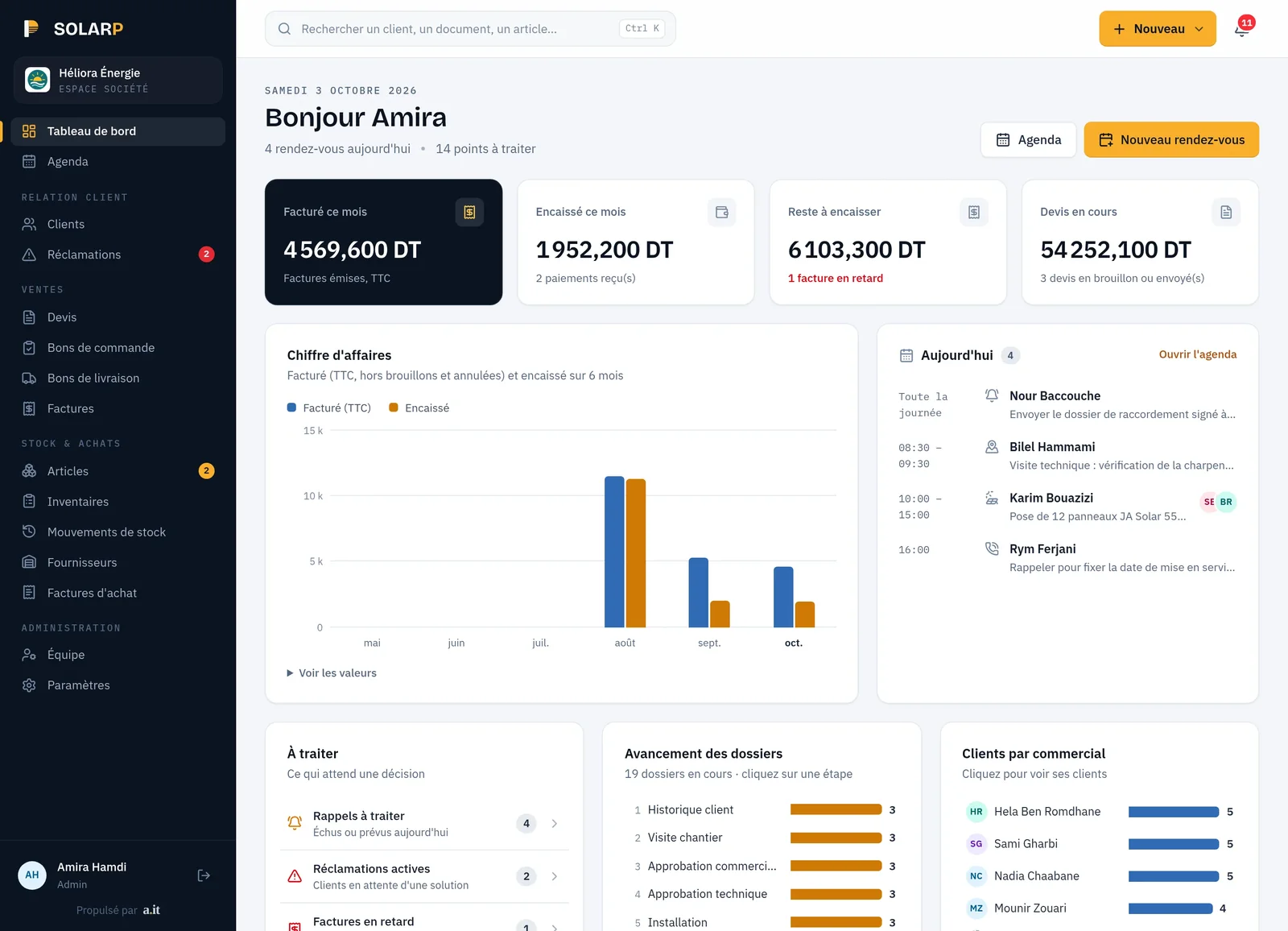
Business applications in production, in real screenshots.

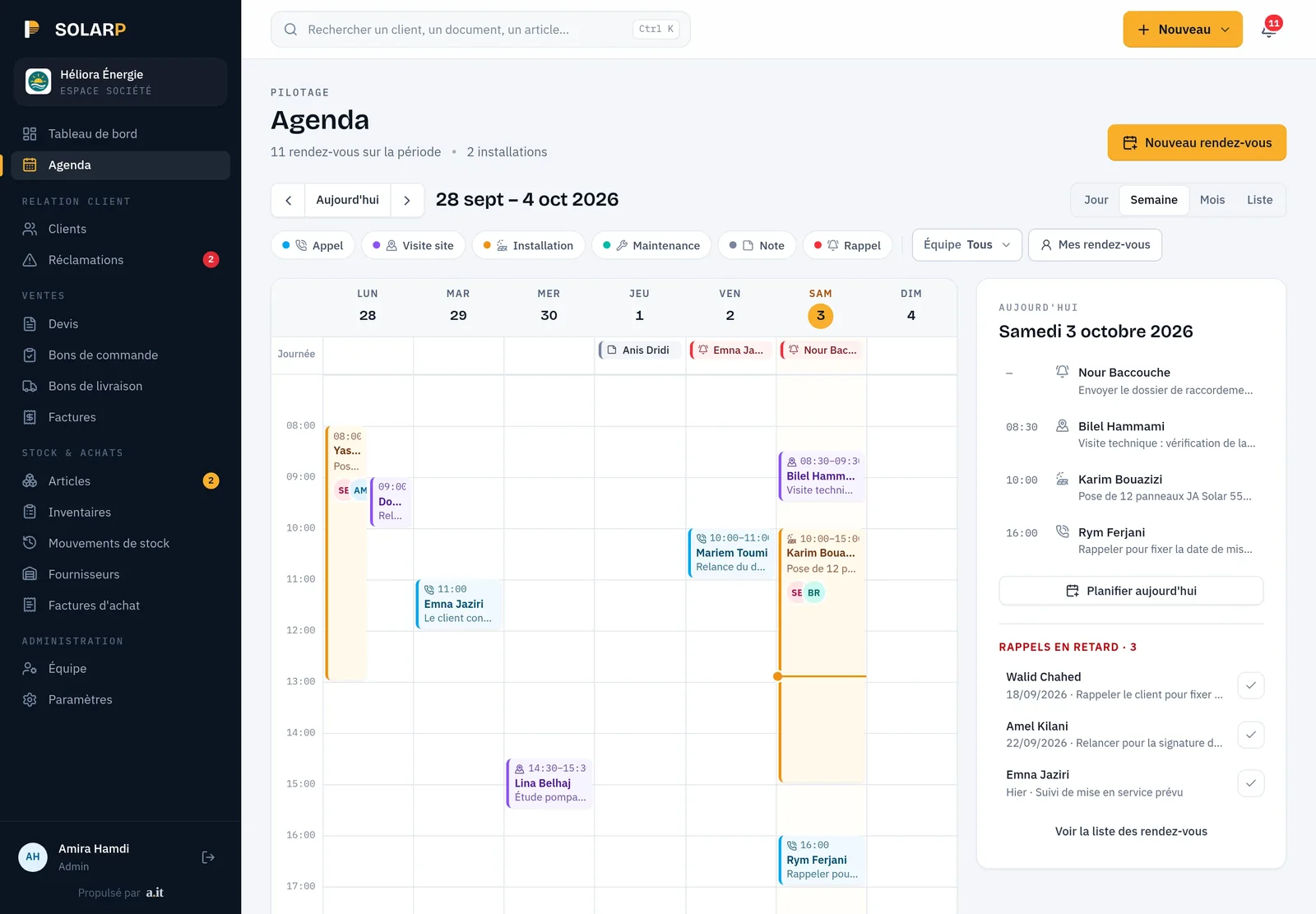
SOLARP dashboard on a laptop
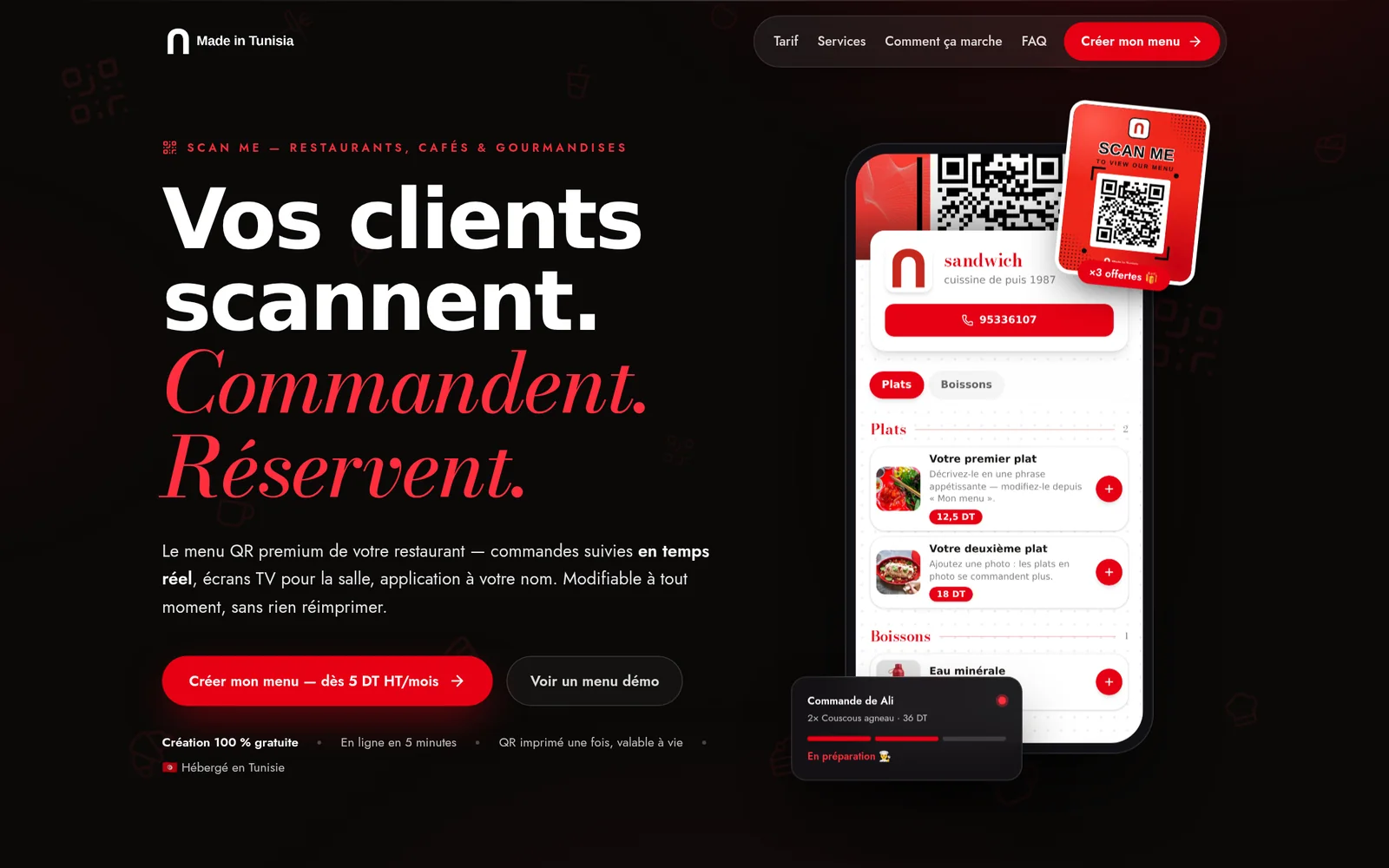
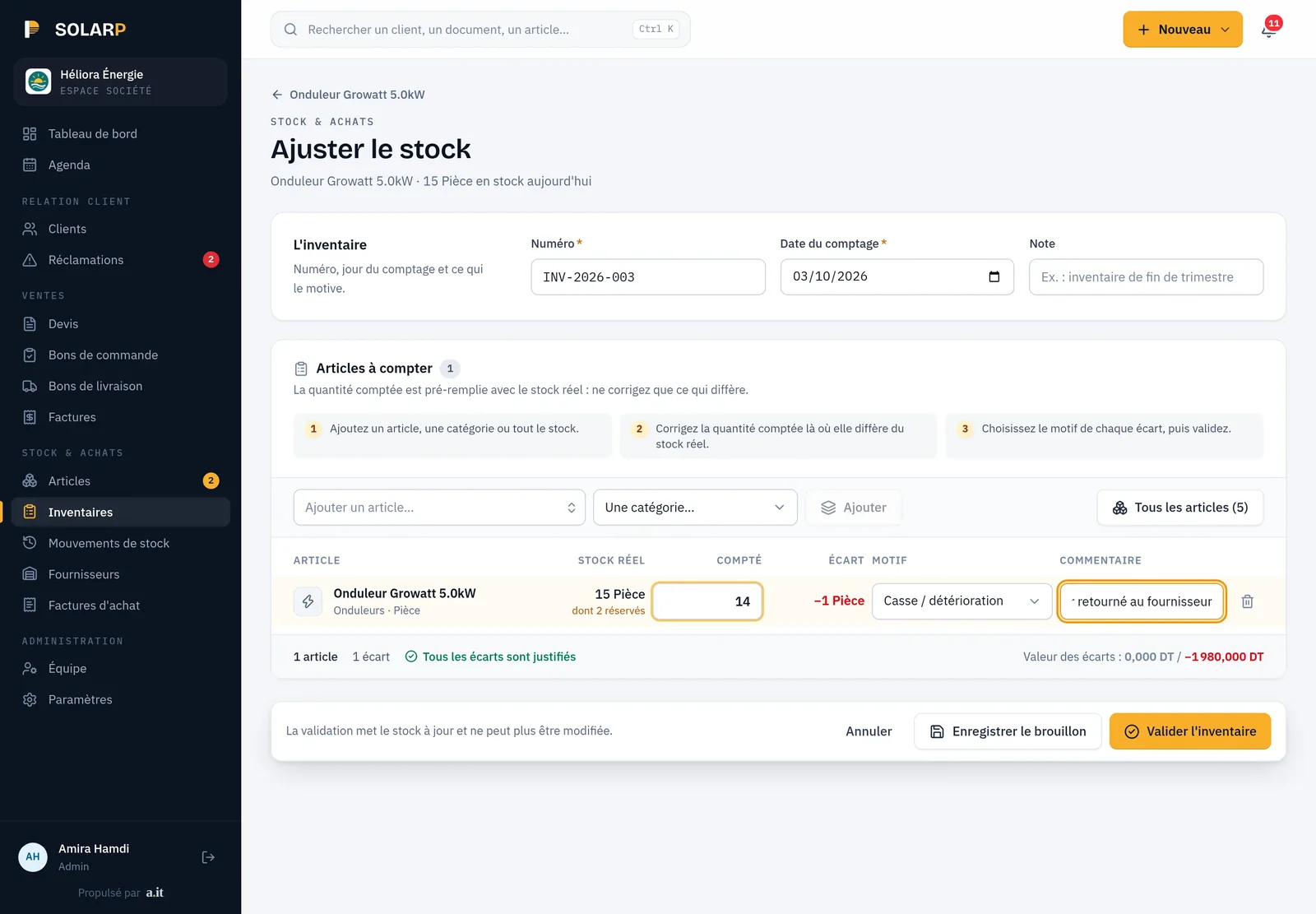
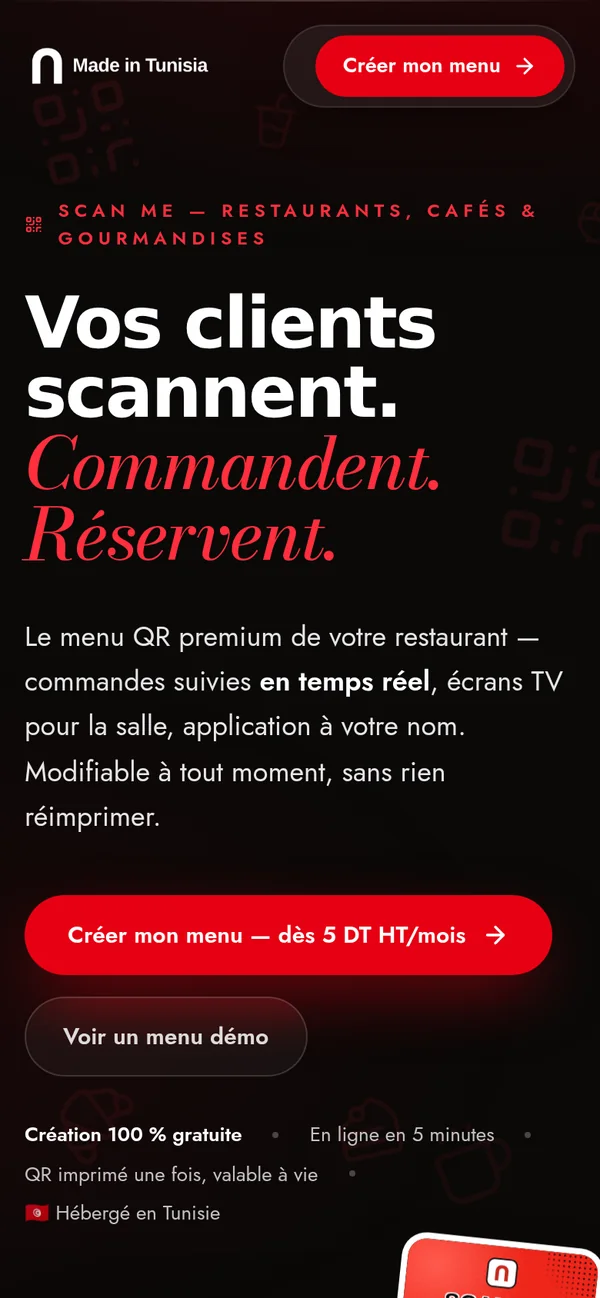
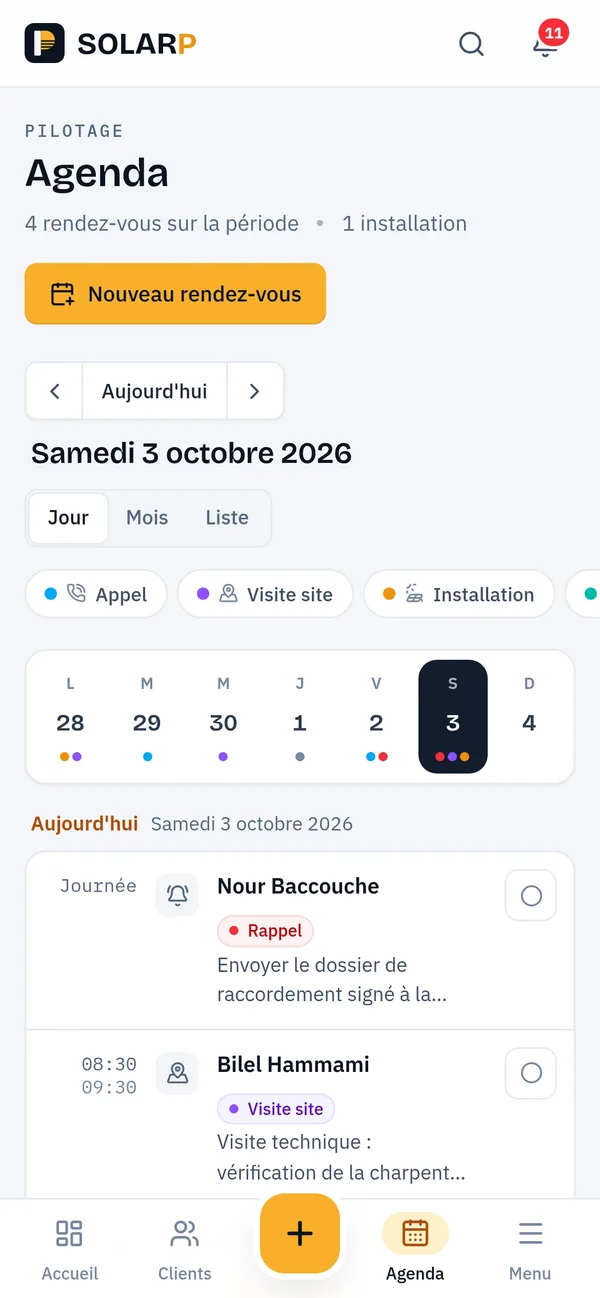
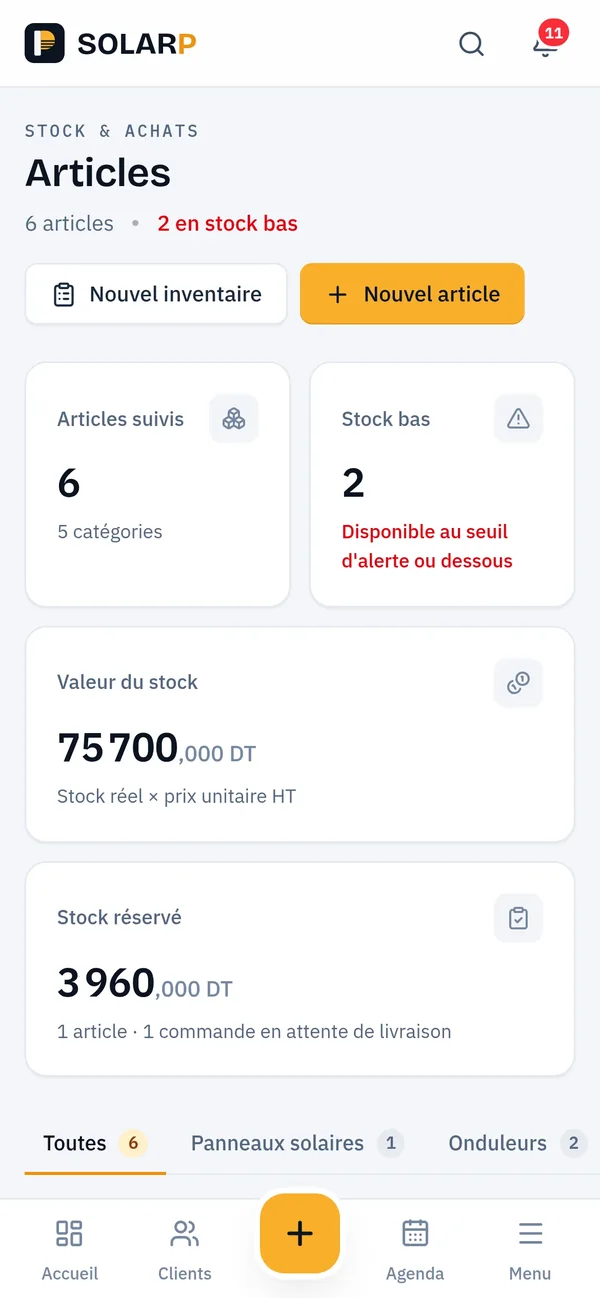
SOLARP · dashboard (demo)Made in Tunisia · our QR menu SaaSSOLARP · team calendar (demo)SOLARP · stock count (demo)

Overview

What is a custom web application, and who needs one?

A custom web application is software built around one organisation’s own process and used in the browser by its staff, clients or partners. It suits teams whose work no longer fits spreadsheets or a generic tool. A SaaS is the same idea sold to many organisations, each with its own isolated data and settings.

Most of the applications we build start the same way: a process that works, held together by spreadsheets, WhatsApp groups and one person’s memory. Fees are tracked in one file, attendance in another, and documents are retyped before they are printed. The software we write keeps the process and removes the retyping: one record per child, client or order, the right screens for each role, and the documents you already print, generated from data entered once.

Some of those applications become products. When the same need exists in many organisations, we build it once as a multi-tenant SaaS: one codebase and one deployment, with each customer’s data, users, settings and branding kept apart. That is how our QR-menu platform, Made in Tunisia, gives every restaurant its own address, its own menu and its own back office, from a single deployment.

We also build portals and SaaS products for agencies, under the agency’s own brand. The engineering is the same; only the name on the sign-in page changes, and the agency stays its client’s single point of contact.

Typical starting points

  • An operations team running on spreadsheets that no longer agree with each other
  • A sector-specific process that standard software handles badly: fees and instalments, registers, approvals
  • A founder with a validated idea who needs a first version able to take paying customers
  • An existing application that works, but that nobody dares to change any more
  • An agency whose client wants a portal or a SaaS the agency does not build in-house

Problems we solve

Where the spreadsheet stops working

Data retyped three times before it reaches paper?

We model each record once (a child, a client, an order) and generate every document from it: registers, receipts, certificates, statements. At Jardin d'Enfants Anous, registers are printed in Arabic from the data the staff already entered, so nothing is copied twice.

Everyone sees everything, or nobody sees enough?

Permissions say what a person may do; scope says for whom. In the kindergarten SaaS a teacher records observations only for the children of her own classes. A record outside her scope answers “not found” rather than “forbidden”, which would already confirm that the child exists.

Several customers, each wanting different screens?

Copying the software for each customer looks fast and makes every fix cost twice. We keep one codebase and switch modules on per customer. A module that is off is refused by the API, not just hidden in the interface: a hidden page whose address can be guessed protects nothing.

A SaaS idea, but every new customer needs you?

Self-service onboarding belongs to the product, not to a later phase. On Made in Tunisia a restaurant creates its account, confirms its e-mail address and prepares its menu in a private preview; it goes public once its subscription is active, with no manual set-up on the server.

What we build

The building blocks of a business application

Every application is different, but the same blocks come back. We size each one to your process instead of shipping all of them by default.

  • Tenants and isolation

    One deployment, many organisations, each with its own data, users and settings.

    • Organisation resolved from the domain or the signed-in account
    • A subdomain per customer, or its own domain
    • Isolation rules tested, not assumed
  • Roles, permissions and scope

    Who may do what, and on which records.

    • Roles per organisation, with individual exceptions
    • Scope by team, class, site or client
    • A history of who changed what
  • Modules per customer

    Features switched on or off per organisation, from one codebase.

    • Checked by the API and by the interface
    • A test fails if a module is left unprotected
    • No forked copy per customer
  • Dashboards and documents

    The figures people check every day, and the papers they print and sign.

    • Lists with filters and pagination
    • Printable registers, receipts and statements
    • Arabic, French and English, right-to-left included
  • Fees, subscriptions and cash

    Amounts that reconcile to the millime, the dinar’s third decimal.

    • Invoices, instalment plans and receipts
    • A cash desk whose closed days cannot be edited
    • Accounting exports that open in Excel
  • APIs and integrations

    Your application exchanges data with the tools around it.

    • Documented REST APIs (OpenAPI)
    • E-mail notifications and background jobs
    • Connections to devices and third-party services

In production

Where this already runs

Two platforms we built and operate show the range: a kindergarten management SaaS in production at Jardin d'Enfants Anous, and a SaaS we sell ourselves to restaurants and cafés.

Jardin d'Enfants Anous

Kindergarten · Sfax

Kindergarten management SaaS, in production at Jardin d'Enfants Anous on its own address: enrolments and families, fees, instalment plans and a cash desk whose closed days are frozen, cheques followed to the bank, per-family statements in PDF, and registers printed in Arabic. Each teacher sees only the children of her own classes.

What we built

Made in Tunisia

Our own product

Made in Tunisia

QR menu and ordering SaaS

Our multi-tenant QR-menu SaaS. Each restaurant or café gets its menu under its own subdomain or domain, takes orders and table bookings, and follows them live in the dining room and the kitchen. Admin sessions are signed with a secret per restaurant, and the platform issues numbered invoices to its subscribers.

madeintunisia.tn ↗ (opens in a new tab)

What both taught us

Rules belong on the server, and they are tested rather than assumed. Made in Tunisia works out which restaurant a request belongs to once, from its domain, and carries it down to every database query. The kindergarten SaaS checks each teacher’s scope in its API, so a hidden screen is never the only protection.

How we deliver

From the first workshop to customers in production

The studio’s five stages, applied to software that people will use all day long.

  1. 01

    Discovery

    We meet the people who will use it, collect the forms they fill in today and list the rules nobody wrote down.

  2. 02

    Data model

    Records, roles, scope and organisations agreed on paper before the first screen is drawn.

  3. 03

    Build

    Working increments on a test address, with realistic data, tried by your team as they land.

  4. 04

    Go-live

    Your spreadsheets imported and checked with you, then the switch, checked again right after.

  5. 05

    Run

    Hosting, monitoring, backups and changes, by the engineers who wrote the code.

Rules we hold ourselves to

  1. One codebase

    Customers differ by settings and modules, never by a forked copy of the software.

  2. Refuse, don’t just hide

    Every restriction is enforced by the API; the interface only reflects it.

  3. Errors people can act on

    A refused form keeps what was typed and says, in the user’s language, what to fix.

  4. Balances are recomputed

    A balance is derived from the transactions behind it, never patched by hand in the database.

How we work

Architecture

Multi-tenant or single-tenant: which one do you need?

Choose multi-tenant when many organisations will use the same product: one deployment to update, data separated by rules. Choose single-tenant, one instance per customer, when a customer requires its own server, database or release calendar. ANTASY IT runs both models in production and helps you pick before any code is written.

Multi-tenant vs single-tenant, as we apply them (October 2026)A system built for one company usually starts single-tenant. It only needs to become multi-tenant if it turns into a product sold to others.
CriterionMulti-tenant (one shared deployment)Single-tenant (one instance per customer)
UpdatesOne release reaches every customerEach instance is upgraded on its own
Data separationBy rules in the application and its queries, which must be testedBy infrastructure: a separate database, often a separate server
CustomisationSettings, branding and modules per customerAnything, at the price of diverging code
Cost per extra customerLow once the product existsHigher: hosting and maintenance multiply
Better whenMany similar organisations: restaurants, cafés, shopsA few large customers with strict requirements
Our examplesMade in Tunisia, our QR-menu platformThe TSS Company ERP

Stack

What are the applications built with?

Our web applications use TypeScript end to end: Next.js or Angular in the browser, NestJS, Next.js or Strapi on the server, Prisma and PostgreSQL for data. ANTASY IT picks per project, depending on who will maintain it afterwards, and runs each of these technologies in production today.

  • TypeScript
  • Next.js
  • React
  • Angular
  • PrimeNG
  • NestJS
  • Strapi
  • Prisma
  • PostgreSQL

The kindergarten SaaS runs on NestJS and Angular with PrimeNG, Prisma and PostgreSQL, and documents its API with OpenAPI (Swagger). Made in Tunisia runs on Next.js with Prisma and PostgreSQL and resolves the restaurant from the domain of each request. The TSS Company ERP uses Next.js in front of Strapi 5, and Facturty pairs Angular with Strapi 5.

If your application already exists in one of these technologies, we can work in it: taking over a working codebase is usually cheaper than rewriting it.

Budget

How much does a custom web application cost?

The cost of a custom web application depends on the number of roles and screens, the business rules, the documents it must produce, the data to import, and whether it serves one organisation or many. ANTASY IT quotes after a scoping session with the people who will use it; our pricing page explains how projects are billed.

What moves the budget

  • The number of roles, and how finely each one’s scope must be drawn
  • The documents to generate, and in how many languages
  • The data to import from spreadsheets or an older system
  • One organisation, or a multi-tenant product with sign-up and subscriptions
  • Integrations: e-mail, devices, accounting exports, third-party APIs
  • Who runs it afterwards: our hosting and maintenance, or your own team

FAQ

Web application and SaaS questions

Custom software or an off-the-shelf tool: how do we decide?

Start with an off-the-shelf tool if it covers your process through settings alone: it is cheaper and ready today. Custom software pays off when your rules are your advantage, when workarounds cost you every month, or when you plan to sell the result as a product. We will tell you if a standard tool is enough.

Can the application run a cash desk with a daily closing?

Yes. In the kindergarten SaaS we built, cash payments are not retyped into the till: the cash desk reads them from the payments themselves. At closing, someone must enter the amount actually counted, never pre-filled, and any gap is recorded. Once a day is closed, its figures are frozen, even if a late payment is dated that day.

How do you stop one customer from seeing another’s data?

Each request is tied to one organisation, from its domain or its signed-in account, and the queries are filtered by it. On Made in Tunisia, admin sessions are signed with a secret per restaurant. In the kindergarten SaaS, a record outside a staff member’s scope answers “not found”, and automated tests check these rules.

Multi-tenant SaaS, defined in our glossary

Can each customer of a SaaS get different features?

Yes, without copying the code. We keep one codebase with a list of active modules per customer. A module that is switched off is refused by the API, not just hidden from the menu, and we add an automated test that fails if any switchable module is left unprotected. One codebase, so one fix for everyone.

Do we need a native mobile app, or is a web application enough?

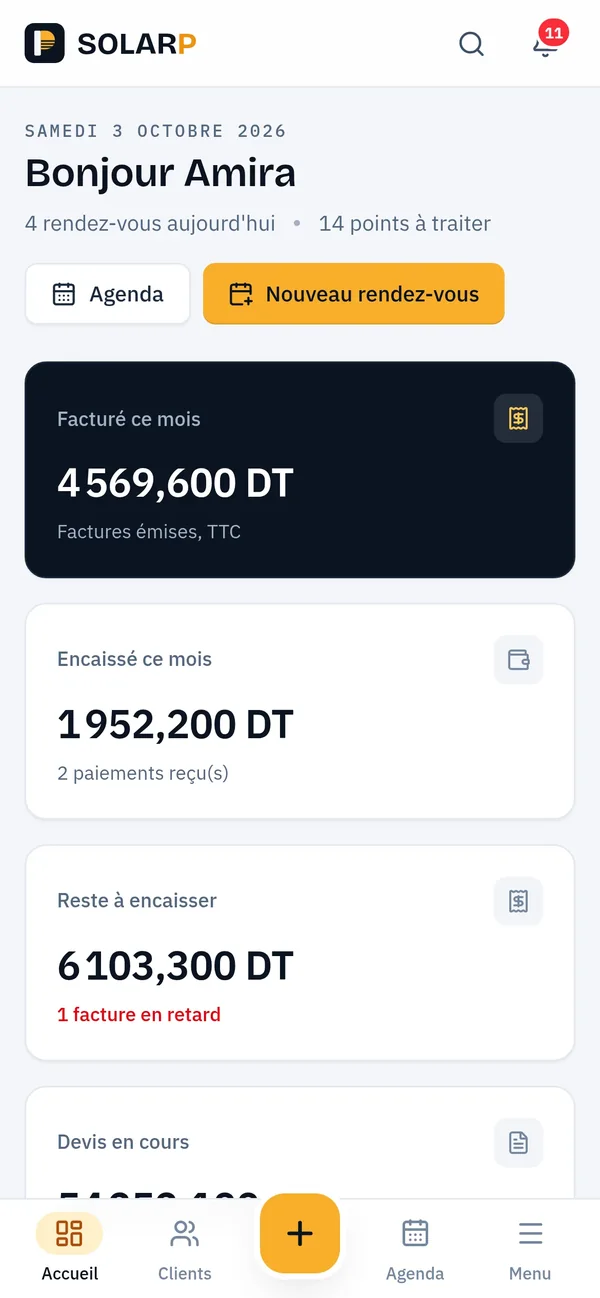
Often a web application is enough. It runs in the phone’s browser, can be installed on the home screen, and every user gets each update without waiting for a store review. SOLARP, the CRM we run for Thyna Solar, installs this way. A native app is worth it when you need device features that the browser handles poorly.

Can a SaaS you build bill its own subscribers?

Yes. Made in Tunisia, our own SaaS, records each subscriber’s payments, tracks the date it is paid up to, keeps a restaurant’s page private until its subscription is active, and issues numbered invoices and delivery notes with VAT and stamp duty. Which payment methods to accept is decided with you, project by project.

Who changes the application once it is live?

The engineers who built it. Each change follows the same path as the first version: agreed with you, tried on a test address, then released and checked again on the live address. Hosting, monitoring and backups are described on our DevOps page, and the method on our process page.

DevOps, hosting and run

Tell us what your team does every day

Send us the spreadsheet or the form you want to retire. We will come back with how we would model it, and what we would build first.